Get this template
ThesisHub
An app designed to streamline the academic journey, empowering students, lecturers, and admins to manage research projects, defense processes, and academic workflows efficiently. With features like supervisor assignments, project tracking, real-time feedback, and defense scheduling, this app ensures a seamless experience for all users.
Client:
Credlanche
Role:
UI/UX
Year:
2023
The Challenge
The challenge for the ThesisHub app was to create a comprehensive platform that would seamlessly integrate the various workflows of MSc and PhD students, lecturers, and administrators. With multiple user roles, diverse tasks like supervisor assignments, project submissions, defense scheduling, and feedback management, the app needed to cater to a complex academic environment. The goal was to design an intuitive, user-friendly system that could effectively track progress, provide real-time updates, and manage all aspects of the project defense process, while ensuring smooth communication and collaboration among students, lecturers, and administrators. The challenge was to create an app that simplifies this complexity, providing a cohesive experience for all users involved.
Process
We've adopted a user-centric approach, iterative design, and rigorous testing, ensuring that the app met the target audience's needs and preferences effectively.
Research and Analysis: The process began with researching the needs, challenges, and preferences of the key users: MSc and PhD students, lecturers, HODs, PG Coordinators, and admins. Surveys, interviews, and feedback from academic staff provided valuable insights into academic workflows and pain points, ensuring the app would address real-world academic needs.
Wireframing and prototyping: Using the research insights, wireframes and interactive prototypes were developed to visualize the app’s layout and functionality. The team focused on creating intuitive navigation and user-friendly designs for tasks like project submission, feedback management, and defense scheduling. Iterations were made based on continuous user feedback to improve the design.
User testing and feedback: User testing was conducted with students and lecturers to validate usability, features, and design. Feedback identified areas for improvement, such as ease of access to key information and clarity of communication features. These insights were incorporated into the design, enhancing the user experience and addressing usability concerns.
Development and testing: With the design finalized, the app was developed using agile methodologies, allowing flexibility to implement improvements during the development phase. The app underwent thorough testing to ensure it was bug-free, compatible across devices, and met performance standards. This phase included usability, functionality, and performance testing to ensure a seamless experience for all users.
Launch and feedback: After development, the app was launched to the target audience. Post-launch, user feedback was collected to assess real-world performance and identify any issues or areas for further enhancement. This feedback was used to fine-tune the app, refine features, and optimize the user experience, ensuring continuous improvement through iterative updates.
Solution
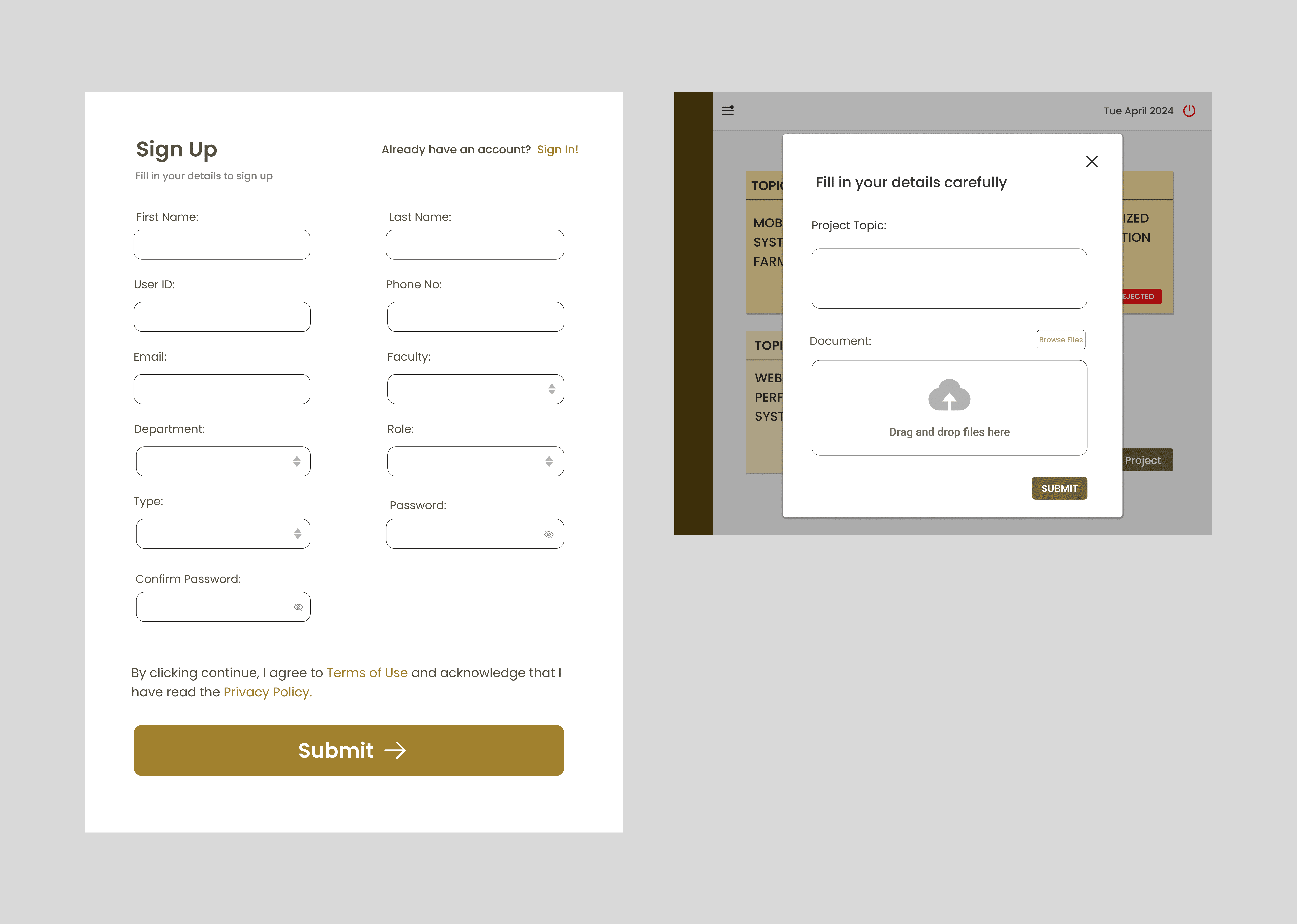

The app provides a user-friendly interface for students and faculty to manage academic projects, track progress, and collaborate efficiently. Students can easily view project stages, feedback, and defense updates, while supervisors and admins can manage and evaluate projects seamlessly. The app ensures transparency with a voting system for project approvals and a role-based access system, providing tailored functionality for each user.
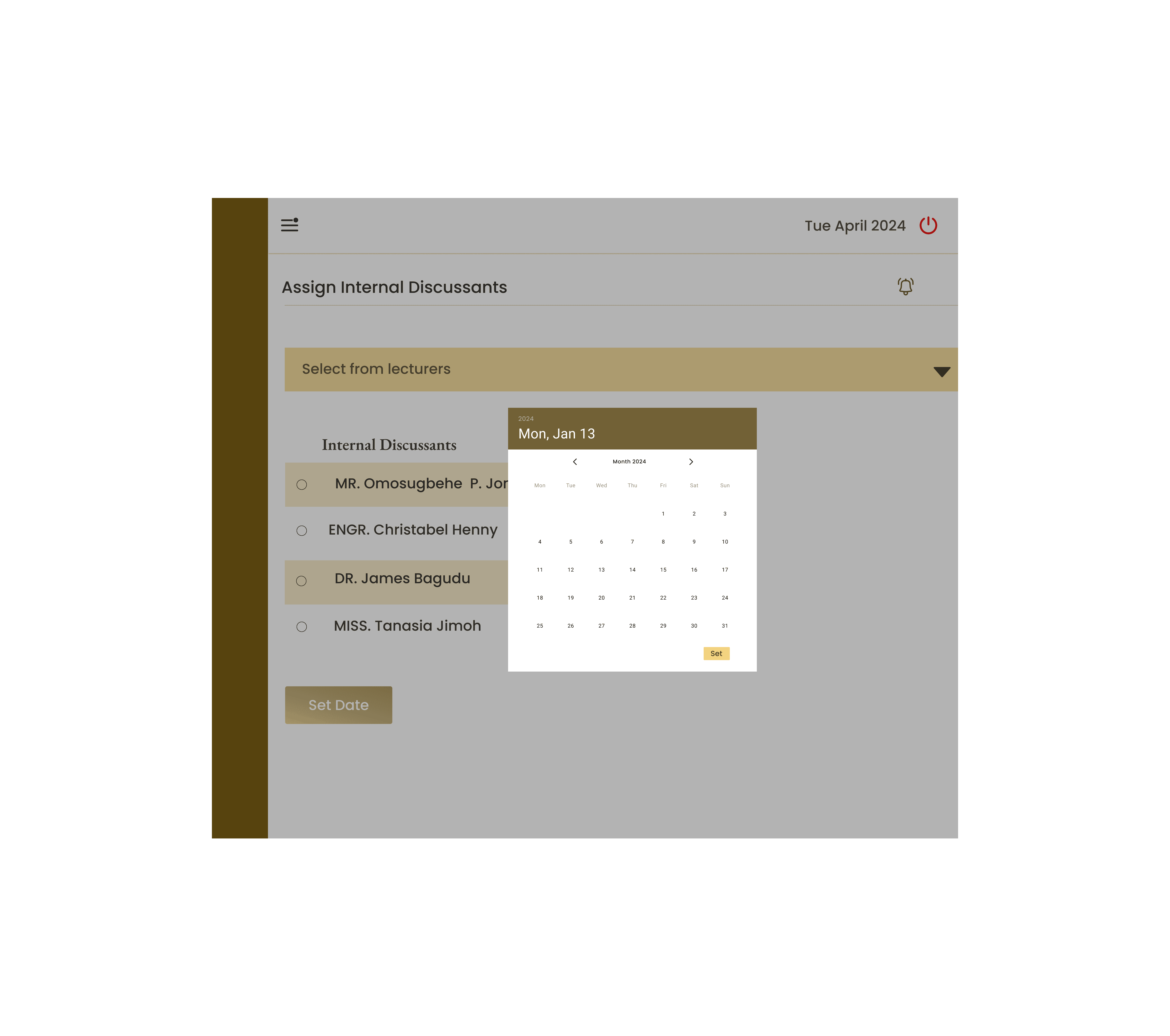
Additionally, the app offers automated alerts for deadlines, keeps all project-related communications in one place, and supports easy collaboration between multiple users. The system also allows admins to monitor and manage the entire project process, from supervisor assignments to final defense evaluations.
Finally, security features such as role-based access control and data encryption ensure that sensitive academic data, including project topics, feedback, and voting results, remain protected throughout the process, giving users peace of mind about data privacy.
Key takeaways
The app’s success stems from its user-centered design, shaped by extensive research and testing to ensure it met the needs of students, lecturers, and admins. Key features like project tracking, feedback management, and defense scheduling streamlined the academic process, enhancing efficiency and collaboration. Additionally, robust security measures protected sensitive data, ensuring a secure and trusted platform for all users.